Alterkom Clip
Fast information exchange across devices and work environments
Pass text, commands and code snippets without unnecessary steps. Alterkom Clip improves day-to-day work for IT admins, technical teams and users working across multiple environments.
What is Alterkom Clip?
Alterkom Clip is a lightweight local network clipboard — a simple way to pass short text, commands and configuration snippets between devices and work environments, without unnecessary email or chat steps.
It addresses common IT team problems:
- Passing commands between computers and sessions.
- Copying configuration fragments without retyping.
- Moving text between admin sessions.
- Exchanging short information in remote work.
- Reducing email and chat for short content handoff.
Clip does not execute commands automatically — it is for fast transfer and copy into the target environment.
Access
Enter with a username
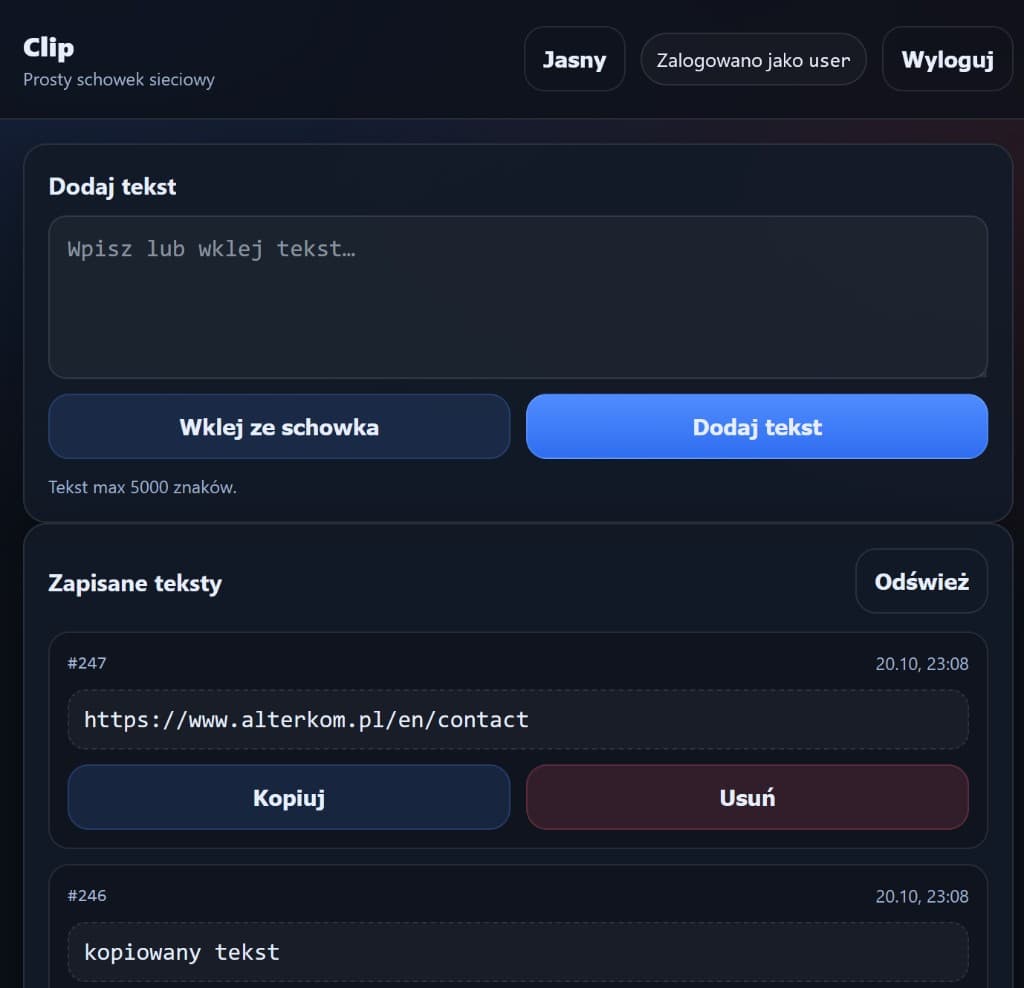
You enter a username (no password in the UI). The same name on another device shows the same texts — a simple shared clipboard for a team or across your own devices. Allowed characters: letters, digits, _ and -, max 10.
Flow
Fast text transfer
Typical flow: prepare short text or a command → add in Clip (or paste from clipboard) → receive on another device / environment → copy into the target app. “Saved texts” history shows entries with time, copy and delete. Limit: max 5000 characters.
Commands, scripts and code snippets
In day-to-day IT work Clip helps pass technical content — without running it inside the app. Typical examples:
- PowerShell and diagnostic commands.
- Bash and Linux.
- Network device configurations.
- Admin script fragments.
- Instructions and data used during technical support.
- Copying between a phone and a computer using your own Clip server.
Example scenario
An administrator prepares a command on a work PC, adds it in Clip, then on another device or admin session copies the content into a terminal or target tool. This is information flow — not automatic command execution.
Work across devices and sessions
The same username on another device shows the same texts — so Clip supports work across multiple computers and separated environments. Example uses (not guaranteed protocol integrations):
- Working with multiple servers and consoles.
- RDP sessions and VDI environments — as text handoff scenarios.
- Local and remote work.
- Separated admin environments.
- End-user technical support.
Retention
History and logout control
Saved texts appear in a list with ID and timestamp. On logout you can choose to delete all texts for that user — useful when ending a session on a shared workstation. Longer retention rules are defined during deployment; we do not present planned features as already available.
Features
Key capabilities
Wejście nazwą użytkownika
Bez hasła w interfejsie — ta sama nazwa na innym urządzeniu pokazuje te same teksty.
Dodawanie i wklejanie tekstu
Pole tekstowe, wklejanie ze schowka, limit do 5000 znaków.
Historia zapisanych wpisów
Lista z identyfikatorem, czasem, kopiowaniem i usuwaniem.
Wylogowanie z czyszczeniem
Opcja usunięcia wszystkich tekstów użytkownika przy wylogowaniu.
Praca między urządzeniami
Synchronizacja treści przy wspólnej nazwie użytkownika na własnym serwerze.
Tryb jasny / ciemny
Przełączanie wyglądu interfejsu.
Use cases
Business use cases
Administratorzy IT
Wygodne przekazywanie poleceń i informacji technicznych między komputerami i sesjami.
Zespoły wsparcia
Szybsze udostępnianie fragmentów konfiguracji i instrukcji bez poczty.
Praca zdalna
Wymiana krótkich treści między lokalnym a zdalnym środowiskiem pracy.
Zespoły developerskie i DevOps
Przekazywanie fragmentów kodu, konfiguracji i poleceń między narzędziami.
Benefits
Business benefits
Oszczędność czasu
Mniej przepisywania i szukania treści w wiadomościach.
Mniej przełączania aplikacji
Krótka ścieżka: dodaj → odbierz → skopiuj.
Uproszczony przepływ informacji
Dedykowany schowek zamiast poczty do krótkich treści.
Wygodniejsza praca techniczna
Komendy i konfiguracje pod ręką na wielu urządzeniach.
Kontrola nad treściami
Historia wpisów oraz opcja usunięcia tekstów przy wylogowaniu.
Technology
Architecture
Architecture
A web network-clipboard app: username entry, sync of entries across devices under the same name, saved-text history (copy / delete), and optional deletion of content on logout. Hosted on customer infrastructure. Detailed security, retention and permission model are defined during deployment.
Integrations
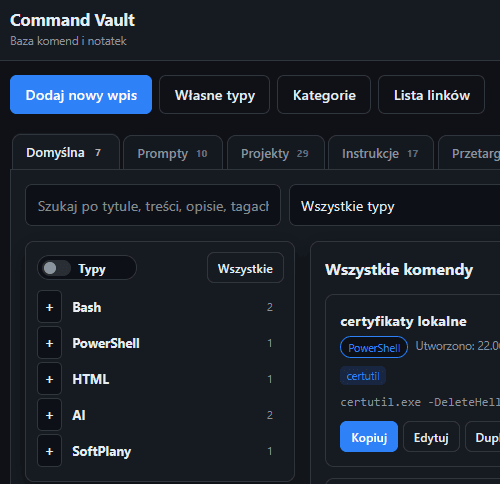
Possible cooperation with Alterkom Command (command library) and admin environments — per deployment. Clip handles text transfer, not execution.
Requirements
Minimal requirements depend on hosting model and user count. Typically a lightweight web service on customer infrastructure.
Delivery
Deployment models
Questions
FAQ
Czy Clip wykonuje komendy automatycznie?+
Nie. Clip służy do przekazywania i kopiowania tekstu. Wykonanie polecenia odbywa się poza aplikacją, w docelowym narzędziu lub terminalu.
Jak działa logowanie?+
Wchodzisz nazwą użytkownika (bez hasła w interfejsie). Ta sama nazwa na innym urządzeniu pokazuje te same teksty. Dozwolone znaki: litery, cyfry, _ i -, max 10.
Ile znaków mogę dodać?+
W interfejsie obowiązuje limit do 5000 znaków na wpis.
Co dzieje się z tekstami przy wylogowaniu?+
Możesz zaznaczyć opcję usunięcia wszystkich tekstów tego użytkownika przy wylogowaniu. Bez tej opcji historia pozostaje według konfiguracji wdrożenia.
Czy Clip jest bezpieczny do danych wrażliwych?+
Politykę retencji i dostępu konfigurujemy pod środowisko klienta. Nie zakładamy publicznego udostępniania treści wrażliwych. Szczegółowy model bezpieczeństwa ustalamy przy wdrożeniu.
Czy mogę używać Clip między telefonem a komputerem?+
Tak — przy własnym serwerze i tej samej nazwie użytkownika możesz przekazywać krótkie treści między urządzeniami.
More
Related solutions
Ready to see it in action?
Tell us about your use case — we will propose a tailored presentation.
Book a Clip presentation